Developers · Comparison
AI-Enabled vs AI-Native, Concretely
Beyond the definition, the two approaches differ in 4 specific, checkable ways: how the data layer is built, how the team ships and maintains models, what the user actually experiences, and, most concretely, the cost structure each one produces. An AI feature that still requires full human review doesn’t remove a labor cost, it adds a model cost on top of one that never left.
AI-enabled
Bolt-on, batch, one feature
AI-native
Built in, real-time, throughout
The data layer
What actually differs in the data and integration layer?
AI-enabled systems keep their original non-AI logic intact and connect to AI as a discrete, often externally-hosted component, which usually means manual ETL steps to make existing data AI-ready and models running in batch mode rather than continuously; AI-native systems couple model training, inference and feedback loops directly with core application logic through automated, end-to-end pipelines. Security research comparing the two architectural approaches consistently draws this same line at the data and integration layer first, before any of the differences covered further down.
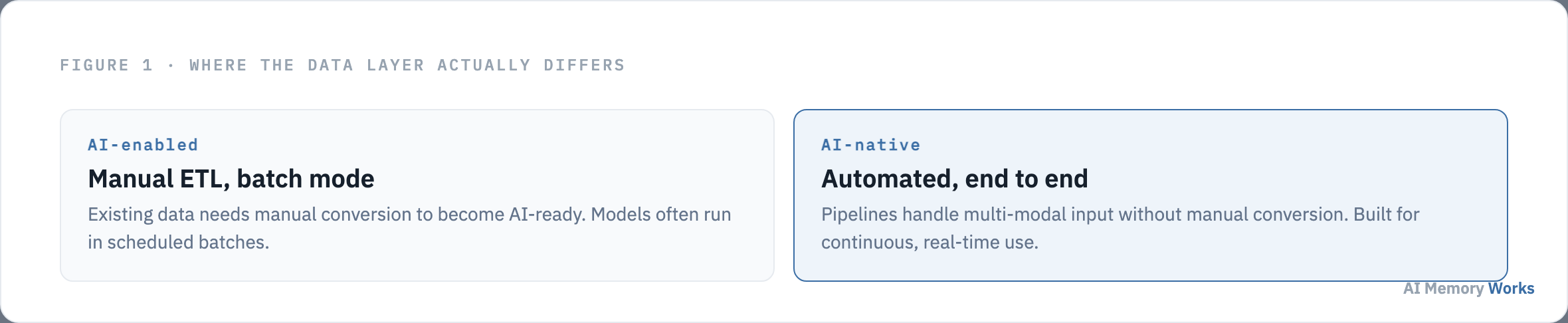
An AI-native pipeline is typically built to handle multi-modal input, structured data, free text, audio, images, without requiring manual format conversion at each step, and storage is selected specifically to support high-throughput, real-time queries for inference rather than retrofitted from an existing reporting system. APIs in an AI-native system tend to be designed around model endpoints as the primary interface, with downstream services consuming the model’s output directly, rather than around the static business-logic endpoints a pre-AI system was originally built to expose.
An AI-enabled system, by contrast, often bolts an inference call onto infrastructure that was never designed to feed it: data passes through existing transformation layers built for a different purpose before it ever reaches the model, and feedback loops are rarely continuous, with retraining happening only when new data is periodically prepared rather than triggered automatically. This isn’t a failure of engineering discipline so much as a direct consequence of the starting point: a system whose data model, storage choices, and API surface were all settled before AI entered the picture has real structural limits on how deeply AI can actually be woven in without a genuine rebuild.
This same distinction, whether the AI layer is a first-class citizen of the data pipeline or something bolted onto its side, shows up again in how the team building the system actually works day to day. What actually differs in how the team builds and ships?
A different discipline
What actually differs in how the team builds and ships?
AI-native teams apply MLOps discipline from day 1, model-specific CI/CD, automated evaluation against validation datasets, canary deployments, and drift detection that automatically triggers retraining, with engineers and data scientists co-designing from the start; AI-enabled teams typically wrap a proof-of-concept model in adapters, with manual or semi-automated deployment and retraining tied to periodic data refreshes.
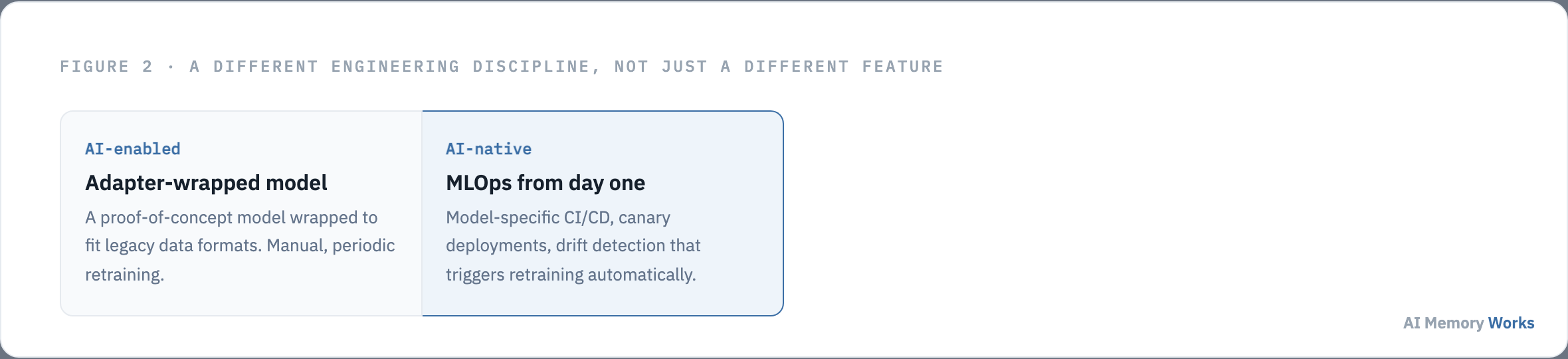
This is a genuinely different engineering discipline, not just a different roadmap priority. Building CI/CD for models, not just code, and treating drift detection as a first-class monitoring signal alongside uptime and error rate, requires structuring a team so data scientists and engineers are making joint decisions about data schemas and feature engineering from the earliest design conversations, not handing a trained model to engineering once it’s ready. An AI-enabled effort more commonly starts from a single high-impact area, drafting email responses or ranking leads, for instance, with the model wrapped in adapters that translate between the legacy system’s formats and the model’s requirements, which is a perfectly reasonable way to validate an idea quickly but a structurally different commitment than building the model lifecycle into the team’s operating rhythm from the outset.
The practical tell for which discipline a team is actually operating under shows up the moment a model starts underperforming in production. A team with drift detection and automated retraining in place notices the degradation through a monitoring signal and responds with a scheduled, largely automated correction. A team without that infrastructure notices it through a support ticket or a user complaint, then has to manually diagnose whether the problem is the model, the data feeding it, or the adapter translating between the two, a slower and more expensive version of the same fix that an AI-native team’s tooling was built to catch automatically.
These process differences show up directly in what the system can actually do at runtime, not just in how smoothly the team ships changes to it. What actually differs in real-world performance?
Runtime consequences
What actually differs in real-world performance?
AI-native systems are built for real-time streaming inference, often with GPU or TPU acceleration and millisecond decision latency; AI-enabled systems frequently inherit the bottlenecks of the pre-AI architecture they were added to, running on shared, unaccelerated infrastructure that limits how broadly AI can actually be applied. The gap between the two shows up in production timing measured in orders of magnitude, milliseconds versus seconds, not a marginal difference.
When latency budgets, concurrency handling, and scaling strategy are defined in terms of model response time from the start, a system can route decisions through low-latency inference services that scale elastically with demand. When AI is added afterward, data often has to pass through several layers of transformation built for a different purpose before reaching the model, and scaling inference to every user can be cost-prohibitive if the surrounding system was never designed to carry that load, which is exactly why AI-enabled features tend to be applied selectively or asynchronously rather than universally, even when the underlying model is perfectly capable.
These same technical constraints are what shape how the feature actually shows up for the person using the product, not just how fast it runs internally. What actually differs in what the user experiences?
What the user sees
What actually differs in what the user experiences?
AI-native interfaces are adaptive throughout, adjusting layout, content and available actions based on inferred intent, often supporting fully conversational or autonomous workflows; AI-enabled interfaces deliver a more limited enhancement, typically one personalized feature while the rest of the product stays exactly as it was.
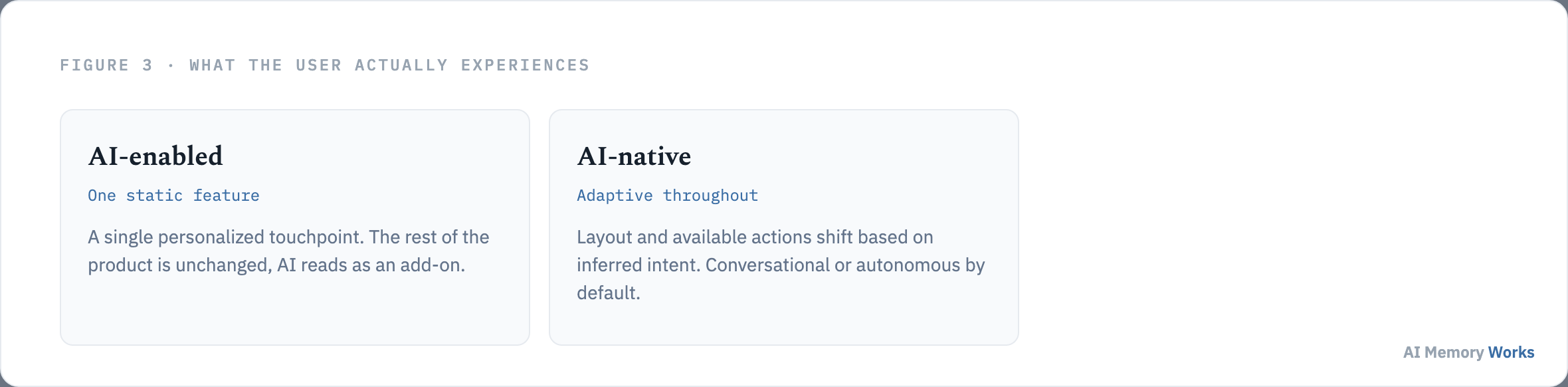
In an AI-native product, personalization is deep and persistent, with a model continuously updating what it knows about a user to refine recommendations or guidance in something close to real time, which is exactly the memory-first architecture this site’s own definition of AI-native commits to. In an AI-enabled product, a user typically experiences the AI as an assistive add-on confined to one area, a recommendation widget, a predictive search box, while the rest of the interface and workflow remains constrained by the original, pre-AI product design. Neither experience is inherently wrong for every product; a narrowly-scoped, single-feature enhancement is often exactly the right amount of AI for a product whose core value doesn’t depend on it.
All three differences covered so far, data, process, and experience, ultimately point to a single underlying question worth stating in plain economic terms rather than architectural ones. Why does the distinction matter beyond architecture purism?
The economic case
Why does the distinction matter beyond architecture purism?
Because an AI-enabled feature that still requires a human to fully review and rework its output hasn’t actually removed a labor cost, it’s added a model cost on top of one that never left, which is a real, checkable cost-structure problem, not just an aesthetic preference for cleaner architecture.

This isn’t an argument that AI-enabled work is wasteful in every case; it’s specifically the failure mode that shows up when a team treats a bolted-on feature as the finish line rather than a validated first step toward something deeper. A well-scoped AI-enabled feature that genuinely removes a step, an automated classification that used to require manual triage, for instance, does change the cost structure, just at a smaller scale than a full AI-native rebuild would. The distinction that matters isn’t enabled versus native in the abstract, it’s whether a specific AI investment actually eliminated work or merely added a new step alongside work that was never removed.
Consider a claims-processing workflow handled two different ways. One team buys a generative API and wires it in to draft email responses that a human still reviews, edits, and sends; adoption looks good in the first quarter, but six months later the process still has the same number of steps and the same handoffs, just with an AI-assisted step added in the middle. A second team rebuilds the workflow around the model itself: claims are triaged and routed automatically, with humans stepping in only for genuinely uncertain edge cases the system flags. Both teams spent money on AI. Only the second one actually changed its underlying cost structure, because the first one added a cost without removing the one it was meant to replace. This is the practical stakes behind the architectural distinction covered throughout this page: it’s not really about which approach is more sophisticated, it’s about whether the investment in AI actually changes what the system costs to run, or just adds a line item to what it already cost.
With the concrete differences on the table, data layer, team process, runtime performance, user experience, and the cost structure each produces, the practical question is which approach actually fits a specific product being built right now. Which one should you actually be building?
The decision
Which one should you actually be building?
AI-enabled, if a product’s core value already works without AI and the goal is a targeted, incremental improvement to one feature; AI-native, if the product’s actual value proposition doesn’t exist without continuously accumulated, per-user context and autonomous decision-making at its core. The litmus test for telling the two apart in your own case, remove the AI and see what’s left, is covered in full on what makes an app AI-native, and real examples that pass or fail it are covered on AI-native app examples.
Teams that decide the product genuinely needs to be AI-native still face the practical question of whether to build the memory and MLOps infrastructure entirely in-house or adopt managed components for the parts that don’t need to be a competitive differentiator. Engram is one option worth evaluating specifically for the memory layer, since building AI-native without a first-class memory architecture from day one tends to produce exactly the retrofit problem this comparison exists to help teams avoid. The general mechanics of what that memory layer actually does at runtime are covered on the memory layer.
FAQ
Frequently asked questions
The practical decisions that follow once the concrete differences above are understood.
Is adding an AI chatbot to an existing app always a bad idea?
No. It's often the right first step to validate whether AI adds real value before committing to a full AI-native rebuild. The problem is treating that bolted-on feature as the destination rather than a starting point.
How can you tell if an AI-enabled feature is actually saving money?
Check whether it removed a step or just added one. If a human still fully reviews and reworks the AI's output, the original labor cost never left, and the model cost is now paid on top of it.
Does AI-native always mean better performance?
Only when the surrounding infrastructure was actually built for it. AI-native systems can use GPU or TPU acceleration and real-time streaming because latency budgets were designed around inference from the start, something an AI-enabled system inheriting older infrastructure usually can't retrofit cheaply.
What's the practical difference in how a model failure gets caught?
An AI-native team with drift detection notices degradation through an automated monitoring signal and responds with a largely automatic correction. An AI-enabled team more often finds out through a support ticket, then has to manually diagnose whether the model, the data, or the adapter is at fault.
Can a single product be AI-enabled in one area and AI-native in another?
Yes. A product can add a bolted-on AI feature to one workflow while building a genuinely AI-native architecture around its core value proposition elsewhere. The distinction applies per feature or per subsystem, not only to a whole product at once.
What's the first thing to build if a team decides to go AI-native?
The memory architecture, before the surrounding application logic. Retrofitting per-user scoping, real-time writes, and staleness handling onto a system that wasn't designed to carry them is the specific rework this comparison exists to help teams avoid.